 DecisioWorks
Which problem are you working on?
| Your situation | Where to start | What to establish |
|---|---|---|
| Orders and capacity data exist, but planning still relies on spreadsheets | Stamping case: connect demand, time and resources | Whether the data supports planning and where the gaps are |
| Required quantities can be produced, but sequences and changeovers are hard to balance | Injection-molding case: compare sequences after changing preferences | Which measures changed and what the trade-offs were |
| You have ERP/MES and want to add production decision capabilities | Partner guide: mapping, calls and result handoff | What work is needed while retaining existing systems |
| Business conditions keep changing and the software needs to keep up | Responsibilities and adoption path | Which changes belong in data, rules or applications |
Stamping: from demand to planned quantitiesFollow 1,920 order lines into a plan and examine the recorded re-run.→Injection molding: from preferences to sequenceSee why changeover counts and weighted scores need separate interpretation.→Connect to your business or productUnderstand the roles of manufacturers, consultants, integrators and the toolkit.→Explore the technical documentationFind data fields, readiness checks, rules, architecture and case evidence.→
What do you provide, and what do you get?
Your organization supplies business facts and management judgment. DecisioWorks organizes those inputs into a computational process and returns results for planners or business applications. Commercial deployments can use this process in ongoing operations; a focused first scenario establishes shared definitions.
| Stage | You provide | You can inspect |
|---|---|---|
| Business data | Orders, products, routes, resources, calendars, and the materials or inventory needed by the scenario | Shared objects, mappings and relationship checks |
| Management intent | Delivery and load priorities, allowed adjustments and mandatory rules | Objective and rule configuration, including what is enabled |
| Plan generation | A capability workflow and runtime resources allowed by the license | Solver status, candidate plans, quantities or job sequences |
| Review and adjustment | Business review and actual execution deviations | Metrics, detailed results, comparisons and inputs for the next cycle |
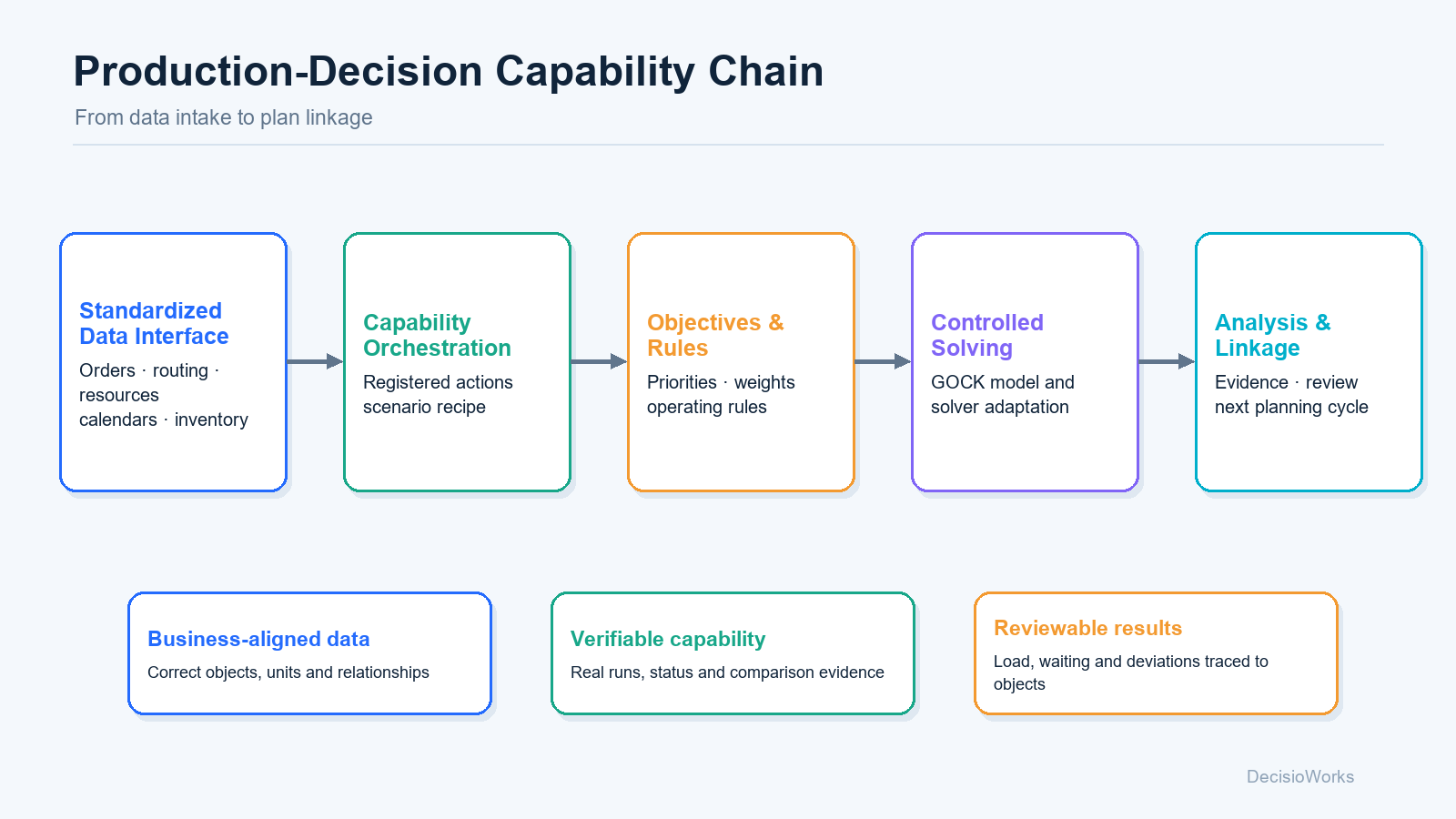
What makes the capabilities reusable over time?
| What changes | Where it belongs | What that means for users |
|---|---|---|
| Data sources or field names | Standardized data interface and data_layer | Maintain the mapping while preserving business meaning |
| Management preferences or operating rules | objective_system and marginal_control | Record trade-offs and rules explicitly and compare results |
| Business workflows | Standard actions and capability orchestration | Recombine existing capabilities and retain execution records |
| Models or algorithms | GOCK and model adapters | Use interfaces to reduce direct disruption to business applications |
| Industry interfaces or system integrations | The open DecisioCore reference implementation | Understand the implementation, reuse interfaces or write your own calling code |
Data mappings, rule configurations, case records and industry applications become reusable assets for manufacturers and partners. Available source code makes the calling patterns and decision workflow understandable. Use and distribution follow the license terms of the relevant edition.
Continue from your role
- Manufacturers: choose a planning problem that requires frequent adjustment, and read the cases alongside a sample of your data.
- Consultants and industrial parks: turn a diagnosis into concrete data preparation, scenario comparison and business review tasks.
- Software partners and developers: start with integration responsibilities, then explore the standard interfaces and open reference implementation.